[–] bcvvvy 3 days ago
This precisely coincides with the web developers being allowed to wrap stuff into "apps" in Electron and the like.
[–] ChrisClark 3 days ago
[–] reddalo 3 days ago
Wow, you unlocked a memory. In case somebody doesn't remember, or doesn't know, the style of Borland buttons, here's a screenshot: https://sourceforge.net/p/owlnext/wiki/Replacing_usage_of_BW...

Some more screenshots on this page: https://www.drbob42.com/delphi/findmapc.htm
(Look at all those misaligned icons/labels in the Tool Options screenshot!)
[–] andrewshadura 3 days ago
[–] mrob 3 days ago
[–] layer8 3 days ago
[–] mike_hearn 3 days ago
- Office (custom widget toolkit, menus, toolbars, etc)
- Internet Explorer (frequently introduced new toolbar designs not available to apps via API until later)
- Encarta (custom dark mode-ish theme)
- Netscape Communicator (custom toolbars)
- RealPlayer
- QuickTime
- MSN Messenger (custom theme)
- Every video game ever
... UI inconsistency didn't arrive with the web. Even macOS has always been a patchwork. Apple couldn't stop introducing new themes over time and there were always apps that didn't quite follow. Brushed metal!
[–] roryirvine 2 days ago
[–] mike_hearn 2 days ago
[–] oneeyedpigeon 2 days ago
[–] 72deluxe 3 days ago
[–] gmueckl 3 days ago
Now, if I take a couple of current applications, the differences are much bigger: from the top of my head, Explorer, Settings, Edge, Office, Steam, Spotify all have much more unique UIs.
[–] bombcar 3 days ago
Then XP kind of broke that as so many started not bothering and then it all went sideways.
[–] robinsonb5 3 days ago
[–] pavlov 3 days ago
Something fundamentally switched around 1998-2002 in how interface design was viewed and approached. I started my career in software as a design summer intern at a company that made a Windows “groupware” application in 1997. They took pride in following the platform’s guidelines and actually testing their designs with real users being videotaped trying to use it. The company’s UI design department was tiny, but employed both an industrial designer and a cognitive scientist.
Five years later, everybody I met in UI design was a graphic designer who was drawing glossy website mockups in Photoshop. The elder lore of science-based UI design was completely lost when Web 2.0 happened and app designs became vibes-based. Even Apple couldn’t resist the tide. (Indeed Steve Jobs’s return to Apple in 1997 was a major contributor because he had developed a taste for user-hostile skeuomorphism like the brushed metal QuickTime Player.)
[–] CSMastermind 3 days ago
I was at Microsoft when they user-tested Windows 7 to death. Including installing eye tracking software during sessions so you could monitor where the user was looking at on the screen.
That data was in part used to justify the changes made in 8: "Users only click on the start menu 0.1% of the time and when they do they focus on a narrow portion of the screen."
[–] com2kid 3 days ago
Def the sort of stories you hear at at a bar after work.
[–] sznio 3 days ago
> the users don't focus on this menu much
to
> therefore we need to make this menu as large as possible
shouldn't the conclusion have been "the start menu is so great the user doesn't even need to focus on using it". it feels like desperately trying to make the data fit the predefined conclusion, despite the data screaming and kicking.
[–] account42 3 days ago
[–] abanana 2 days ago
I've seen similar before - people not understanding that certain things are at their most successful if they're unobtrusive.
[–] someguyiguess 3 days ago
[–] xp84 3 days ago
I think a fair take is that going full skeuomorphic may take some options off the table for you because they would conflict too much with the metaphor you’re leaning hard into.
I’m still 100% Team Forstall though, considering the massive violence that ios7 and its copycats have wrought on usability.
[–] kalleboo 3 days ago
The poster boy for that is the old QuickTime Player, which had a volume wheel and a drawer for shortcuts. https://www.johnforde.com/teaching/shame/qtime.htm
[–] SAI_Peregrinus 3 days ago
[–] oneeyedpigeon 2 days ago
[–] KellyCriterion 2 days ago
[–] anjel 3 days ago
[–] bromuro 3 days ago
[–] exmadscientist 3 days ago
Always-on-screen scrollbars are only useless if you think that indication is useless. Many people find it quite valuable.
[–] eviks 3 days ago
[–] account42 2 days ago
[–] jasomill 3 days ago
It’s also applicaction specific: I care a lot more about relative viewport size and position when reading a long document than I do when I’m entering commands at the bottom of a terminal’s scrollback buffer.
[–] Geezus_42 2 days ago
[–] jasomill 2 days ago
No matter, this is exactly the sort of thing that can and should be implemented as a systemwide user option, possibly with app- or even app-profile level overrides for cases like terminal emulators where users are less likely to prefer full-time scrollbars.
[–] oneeyedpigeon 2 days ago
[–] bc_programming 3 days ago
[–] Geezus_42 2 days ago
[–] eviks 3 days ago
It's a tragedy decades of UI research/design can't get any of the fundamental design elements right
[–] firesteelrain 3 days ago
[–] bombcar 3 days ago
Good times.
[–] publlus_enigma 3 days ago
Very frustrating when one is scanning documents and photos, and verifying them through Finder shows phantom cropping.
I personally like the scroll bars to always be visible as they serve as both an indicator and a control.
[–] kevin_thibedeau 3 days ago
[–] bombcar 3 days ago
[–] ThatMedicIsASpy 3 days ago
[–] samplatt 3 days ago
[–] Grosvenor 3 days ago
We could even have unified desktop.mobile codebases, with different GUI layouts. 280 North's objective-J/Cappuccino proved this.
IDK what we're even doing anymore.
[–] NetMageSCW 3 days ago
[–] majorchord 3 days ago
I would say people are just disagreeing with you that the situation is actually so black and white.
[–] okanat 3 days ago
[–] theandrewbailey 3 days ago
[–] publlus_enigma 3 days ago
[–] Melatonic 3 days ago
Win10 LTSC with the right options and limiting search to local only is pretty good also though. Insanely snappy on even crap systems (with really any SSD)
[–] kristianp 2 days ago
[–] Zarathustra30 3 days ago
[–] okanat 3 days ago
Of course people who got used to traversing 3-level menus got annoyed but they still have all the same keyboard shortcuts. However, spending enough time, you also get used to Ribbon and it usually requires fewer clicks not more.
I still find a tastefully done Ribbon is better than a menu and a toolbar combination. The problem is, not everybody has put the same effort that Microsoft did which created monstrosities like Solidworks Ribbon.
[–] wolpoli 2 days ago
I actually find it difficult to scan for a specific function since the most of the text in the ribbon is centered and may have multiple lines. With the current design, I am expected to look up top to check what tab I am on, then look down bottom to find the container that might have my desired functionality, and then finally scan the middle text (which may be one or two lines) for the button.
[–] wolpoli 2 days ago
They never bothered to implement this Preview functionality on the Web version of office, and I bet only a few ever noticed this inconsistency.
[–] larusso 3 days ago
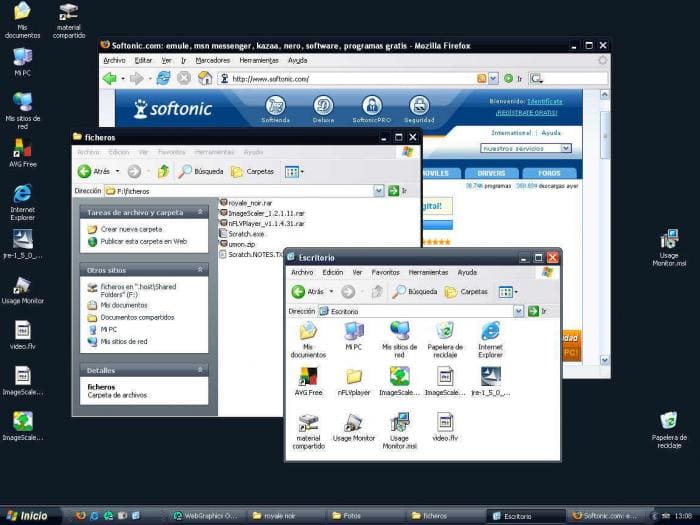
https://www.softpedia.com/get/Desktop-Enhancements/Themes/Mi...
[–] queenkjuul 3 days ago
https://images.sftcdn.net/images/t_optimized,f_auto/p/5c889a...
[–] abhgh 3 days ago
[–] LtWorf 3 days ago
[–] someguyiguess 3 days ago
[–] okanat 3 days ago
UX being copied by OSes from each other is a good thing.
[–] LtWorf 3 days ago
If you're a tachyon I guess linux is ripping off osx :)
[–] dpark 3 days ago
What does this mean? I use lots of apps that still have a menu bar.
Some apps eschew it, like browsers, but not because they are “mobile first”, but because they are trying to maximize screen space.
[–] drnick1 3 days ago
I don't think this is true. If anything, we see more oversized buttons and empty space nowadays. It's as if developers forgot that PC users have keyboards and mice. Remember, display resolutions and monitors were a lot smaller back then, and making space count was arguably more important 20 years ago than it is today.
[–] dpark 3 days ago
The space also really has nothing to do with “mobile first”. It’s for touch screens (and also modern aesthetic that avoids crowded controls).
To be clear, I am not saying that all apps are optimizing for saving screen space. I was specifically talking about browsers, which are broadly optimized to give as much area as possible to the content.
[–] xp84 3 days ago
It was a mildly useful point of view when they were designing things meant to be the first computer program someone might ever use. Like Microsoft Bob or Apple “At Ease.” But it’s idiotic to have things following that dogma as the only interface to tools that people need to use daily and will become expert users of.
To think some of us nerds complained about the Luna theme of XP as too “Fisher Price.” Fisher Price products look like industrial control panels compared to today’s contemporary operating systems and apps.
[–] Melatonic 3 days ago
[–] Narishma 3 days ago
If that was the case they wouldn't put giant margins around every UI element and dead space everywhere.
[–] dpark 3 days ago
[–] kasabali 3 days ago
[–] Geezus_42 2 days ago
[–] Narishma 2 days ago
[–] gregglain 3 days ago
The Wells Fargo website screams this for me - it used to be dense and packed with info, now it's got large elements and wasted space.
[–] breakwaterlabs 3 days ago
Ironic to say on hackernews which shows massive whitespace in the margins-- and if I try to widen my tab sidebar it actually indents the margin rather than eating into it.
One can look across the computing space as a whole and see that, it is surely not the case that we're "maximizing screen space".
[–] abanana 2 days ago
Perhaps, if you're not using a sidebar for bookmarks or vertical tabs or whatever, it suggests something ought to have changed in UI design back when widescreen monitors became the norm?
[–] someguyiguess 3 days ago
[–] LeFantome 3 days ago
[–] jrumbut 3 days ago
The key element missing from this thread is that the Internet going from a text based to a multi-media (and increasingly video-centric) experience.
A lot of Internet users, at this point, do as much reading on their phone or laptop as I do reading on my TV (almost none).
[–] xp84 3 days ago
Oh really? I, sadly, use nearly none. Open on my desktop right now: Slack, Outlook, Zoom, Windows Terminal, Edge, Claude, Obsidian, whatever the Windows image viewer is called, Cursor, and VS Code.
Only the last 2 have menu bars. And I can’t be certain that I didn’t dig through the preferences of one or both of them when I first installed them to tell them to knock off the bullshit and give me back the menus. Once in a while, there is an option buried somewhere like that.
[–] dpark 3 days ago
I see some have gone the “browser” direction with tabs folded into the title bar and the menu bar dropped. Windows Terminal, File Explorer, and Notepad are all that style now.
Edit: Actually Notepad has the tabs in the titlebar thing but retained the menu bar and folded it into the command bar.
[–] xp84 3 days ago
[–] Dylan16807 3 days ago
[–] dpark 3 days ago
[–] skydhash 3 days ago
[–] dpark 3 days ago
[–] oneeyedpigeon 2 days ago
[–] brailsafe 3 days ago
Apple meanwhile has made some notable mistakes, but when they do, it's usually a thorough bad bet that's just missed the mark, but if they do, it's all throughout their OS in every corner. Even with their recent Liquid glass blunder, they're not really putting a veneer that looks like wood over a rotting corpse of a house, they're just picking bad materials to update an otherwise decent layout. Microsoft's whole track consumer UI/product record imo is trying and failing to bet small but intrusively on ideas that don't work, aren't cool, and have no longevity. You see it as soon as you open the control panel that still looks like the 90s; it's this uncomfortable amalgam of failed tepid temporary marketing pitches by some department that make no sense
[–] Cthulhu_ 3 days ago
I have some hope that thanks to hardware shortages and AI helping people write software they will rewrite some things back to faster languages. But this is all gut feeling, gut feeling that a lot of modern-day developers are afraid of optimized code.
(I fully acknowledge the hypocrisy, given my bread and butter is JS/TS front-end and I don't like C. But in my defense, there's no market demand for native developers either, barely any Go even, even though a few years ago it looked like a lot of Java backends were getting rewritten)
[–] mike_hearn 3 days ago
But! Something hardly anyone realizes is that you can get native old-school performance with modern frameworks if you do things right. The best example of this I've seen is what happens if you AOT compile JavaFX apps with GraalVM. They start instantly, every bit as fast as a classic Windows 95 era app running on a modern Win11 machine would.
JavaFX is the replacement for Swing in Java world. As GUI frameworks go I actually really like the API - it's not a ReactJS based paradigm that never really gelled for me, the closest JS equivalent might be something like Vue where reactivity is done at the property level instead of via vdom diffing. It is vaguely HTML inspired, so there's an XML based way to define UIs and you can style them with a dialect of CSS, but the whole thing is designed for GUIs from the ground up. Rendering uses the 3D pipeline on each OS (Direct3D, Metal, Vulkan or OpenGL), it's multi-threaded, there are sophisticated widgets for things like rich text editing and table views, properly parallel composited animation APIs etc. When it first came out it was quite futuristic, nowadays I'd say it's just standard.
Anyway, you can make apps with it that feel completely modern to end users, and yet, they start fast and use relatively little memory when AOT compiled. The JVM startup time disappears entirely.
Part of why it's fast is that GraalVM lets you initialize parts of the app statically at build time, so data structures like GUI widgets derived from XML or CSS can be frozen into a heap snapshot and just mmapped in. No startup time computation needed.
So it's possible and we don't have to go back to using legacy APIs to get this kind of performance. A sufficiently smart compiler can work wonders.
[–] account42 2 days ago
You don't need to implement dark mode when all the controls already follow the users system color scheme. Dark mode is a signficiant regression compared to user-adjustable color schemes and another example of designers wanting to enforce their vision over the desires of the user.
[–] mike_hearn 2 days ago
https://learn.microsoft.com/en-us/windows/apps/desktop/moder...
[–] 72deluxe 3 days ago
[–] latexr 3 days ago
There’s no need to be hyperbolic or blinded by nostalgia. Yes, user interfaces have suffered several setbacks in the years since, but even if we concede every change was for the worse (they weren’t) it was by no means “perfected” and there was still plenty of area for improvement.
[–] queenkjuul 3 days ago
[–] sznio 3 days ago
[–] pjmlp 3 days ago
The Windows SDK samples like Hilo make use of C++ with COM.
[–] eviks 3 days ago
[–] golergka 3 days ago
If you see this UI transition through the same lense as CLI-GUI one, a lot of things become more clear, in my opinion.
[–] fellowniusmonk 3 days ago
I think we've actually completely stagnate on the human interaction side of OSes and only emacs has made any progress and then only for those willing to put the work in, not as a vanilla user ui.
[–] HWR_14 3 days ago
[–] tonymet 3 days ago
Insanely great performance.
[–] excalibur 3 days ago
Well that can't be entirely true, the desktop experience on Windows 10 improved on Windows 8 by leaps and bounds.
[–] john01dav 3 days ago
In large part, windows 10's ui is more like that of windows 95 because it undid the changes away from the windows 95 paradigm that windows 8 did. Furthermore, those changes away from windows 95 in windows 8 were the exact kind of thing that might be called "mobile first".
[–] MattPalmer1086 3 days ago
[–] layer8 3 days ago
[–] dormento 2 days ago
In other words, change for the sake of change does not an improvement make.
[–] nubinetwork 3 days ago
[–] timw4mail 2 days ago
[–] theandrewbailey 3 days ago
[–] mrheosuper 3 days ago
[–] dragontamer 3 days ago
Ribbon is absolutely an improvement for users but is more work for the XML layout and learning how to organize it.
I'm rather convinced that Ribbon is still the best way to organize quick actions, show their shortcuts (Alt to see keyboard shortcuts), and also have enough text to describe all the buttons. But it'd be nice if it were easier to make good Ribbons.
Menu was braindead easy, albeit through ancient process of .rc files and whatnot
[–] eviks 3 days ago
[–] samplatt 3 days ago
Old Photoshop, any CAD software, Excel. Smaller buttons and more of them is a steeper learning curve but results in far superior day-to-day usability. You can still hold down [Alt] and see hotkeys, that wasn't unique to the Ribbon UI.
it's all very much an example of the "Look at what they need to mimic a fraction of our power" meme.
[–] thesuitonym 3 days ago
[–] max51 3 days ago
[–] dragontamer 3 days ago
It's well acknowledged that modern designers and users benefit from large vs small, and other varying styles of organization.
Menus only had top menus vs submenu vs sub-sub-menu (and so forth). Yes a good menu is useful but...
A ribbon offers many more tradeoffs. It's harder to design a good ribbon, but the best ribbons are always better than even the best menu. The important features will be physically larger with more text and space. The less important or niche features might just be an icon with tooltip, possibly hidden behind a subcategory of the ribbon.
In theory, you can use the modern Ribbon to make old school menus. But why bother? If you made the switch to that XML design language, you might as well take all the benefits of the Ribbon
Or hell, if you like old school menus, you can still make them today. Those .RC editors still work in modern Windows 11. But give it a shot and you'll see how restrictive and bulky old school menus are in practice.
[–] cowlevel 3 days ago
[–] FreakyT 3 days ago
[–] cowlevel 2 days ago
[–] andechs 3 days ago
90% of the time, even in Android that was pre-Honeycomb, the menu ended up just showing what would have been in the overflow anyways.
Android really did end up doing a lot better on the UX side that iOS with the contextual action bar and long-press to select. The idea of selection mode on iOS is still a weird process, and it's been mostly worked around since with higher PPI screens and touch sensors, instead doing a small area to "select" items on iOS
[–] robinsonb5 3 days ago
I disagree - long-press isn't intuitive or discoverable, and it's slow. You could make a case that they're a good fit for mobile, but they're truly horrible on desktop.
[–] dbgobrrr 3 days ago
Hard buttons beat soft buttons for UX any time. You can use them with a glove, you can feel where the are located and you don't accidentally click because your finger was close enough for the capacitive touch sensor to trigger.
[–] mech422 3 days ago
[–] sombragris 2 days ago
[–] skydhash 3 days ago
[–] frantathefranta 3 days ago
Still the best navigable phone I had when coupled with the Nova Launcher gestures.
[–] necovek 3 days ago
Some of those were taken into other OSes but nowhere were they implemented so smoothly.
[–] cowlevel 1 day ago
[–] dansquizsoft 3 days ago